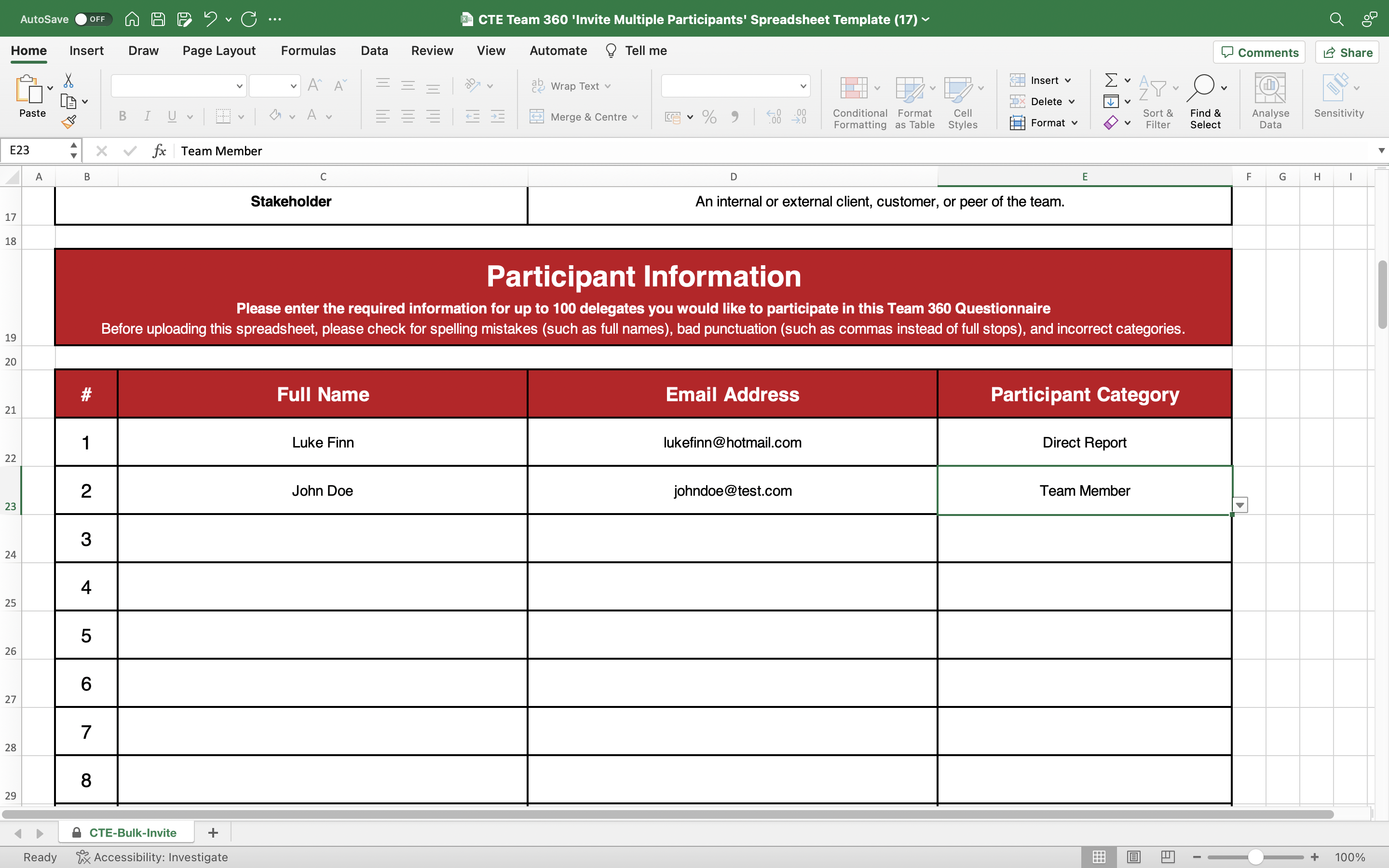
Fill out the spreadsheet template
Find, download, and open an empty copy of the spreadsheet template from
- you must not use your own spreadsheet
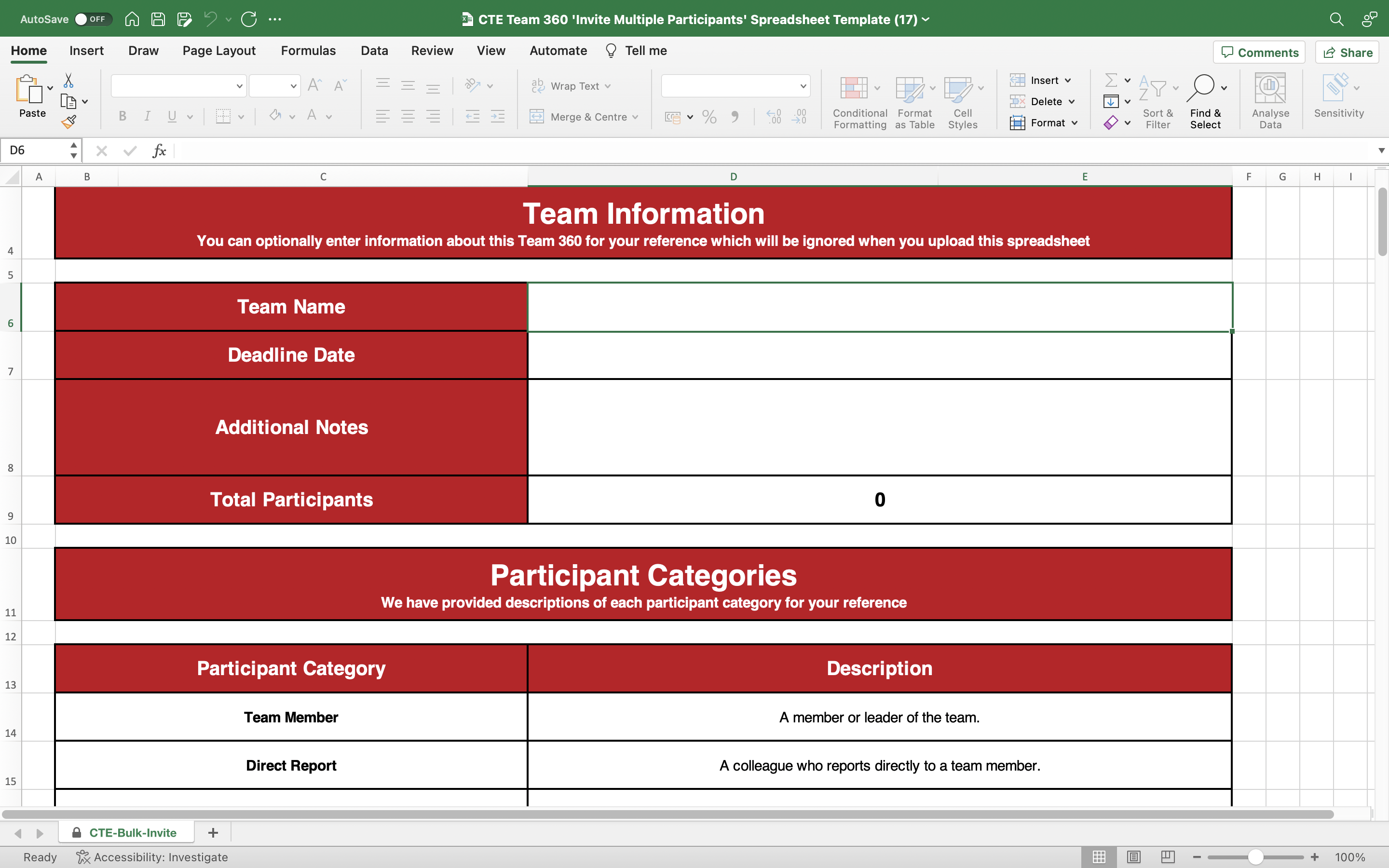
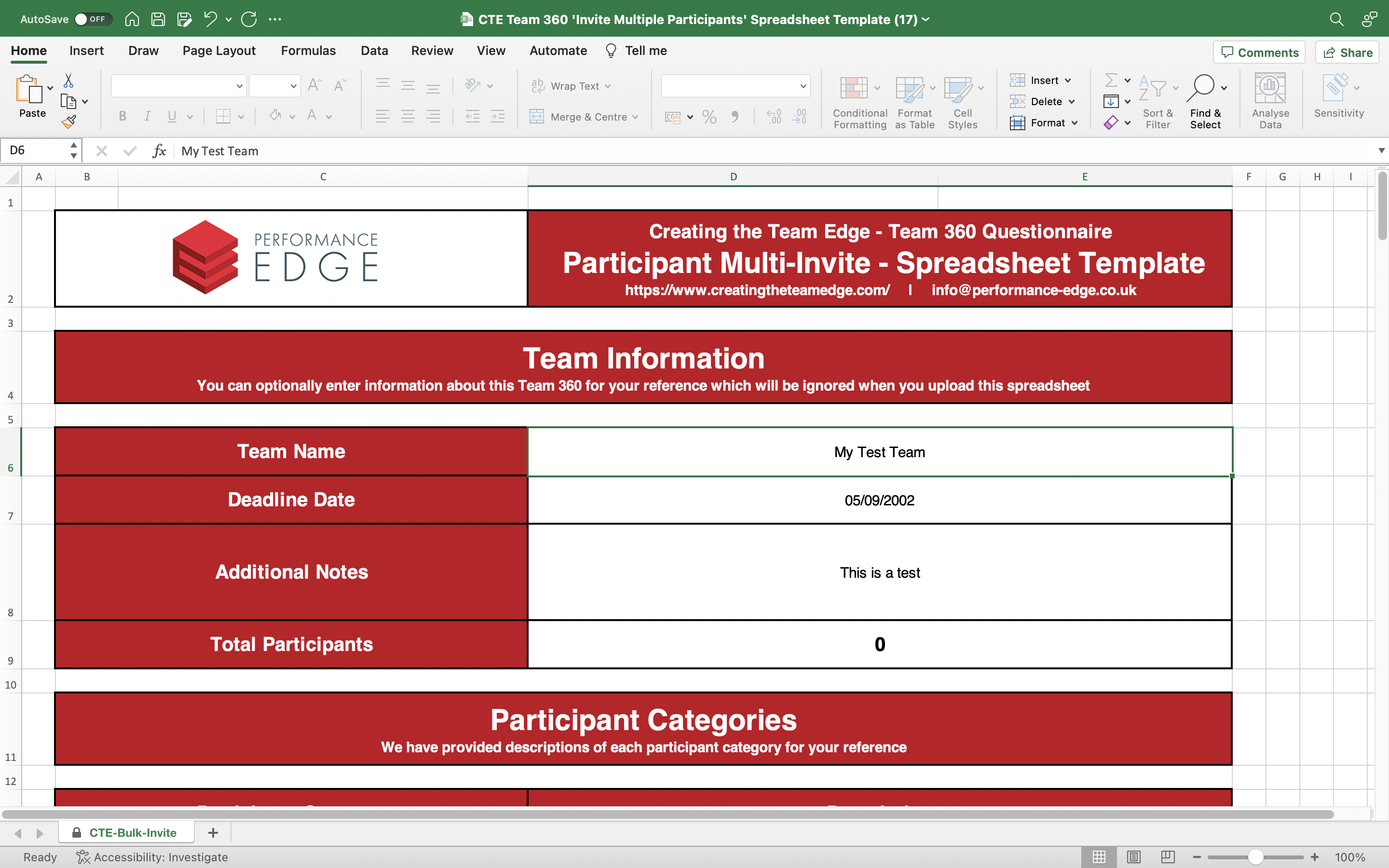
Enter the team name and deadline date in the 'Participant Information' section - this information will be ignored when uploaded and is for your reference only
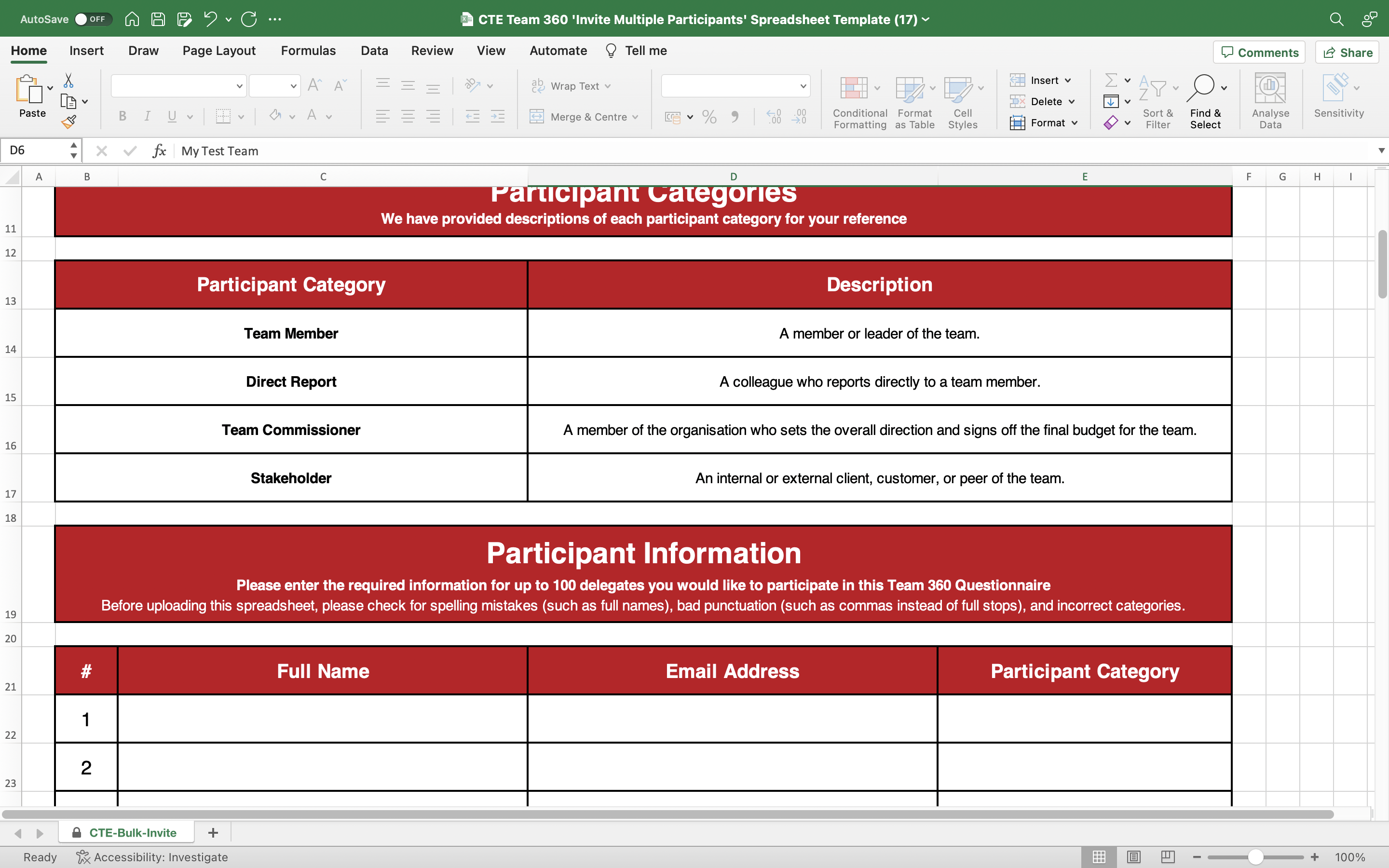
Scroll down and note the different participant categories - use the example spreadsheet template for guidance from https://tinyurl.com/examplespreadsheettemplate
For each participant, enter their full name and email address in the 'Participant Information' section
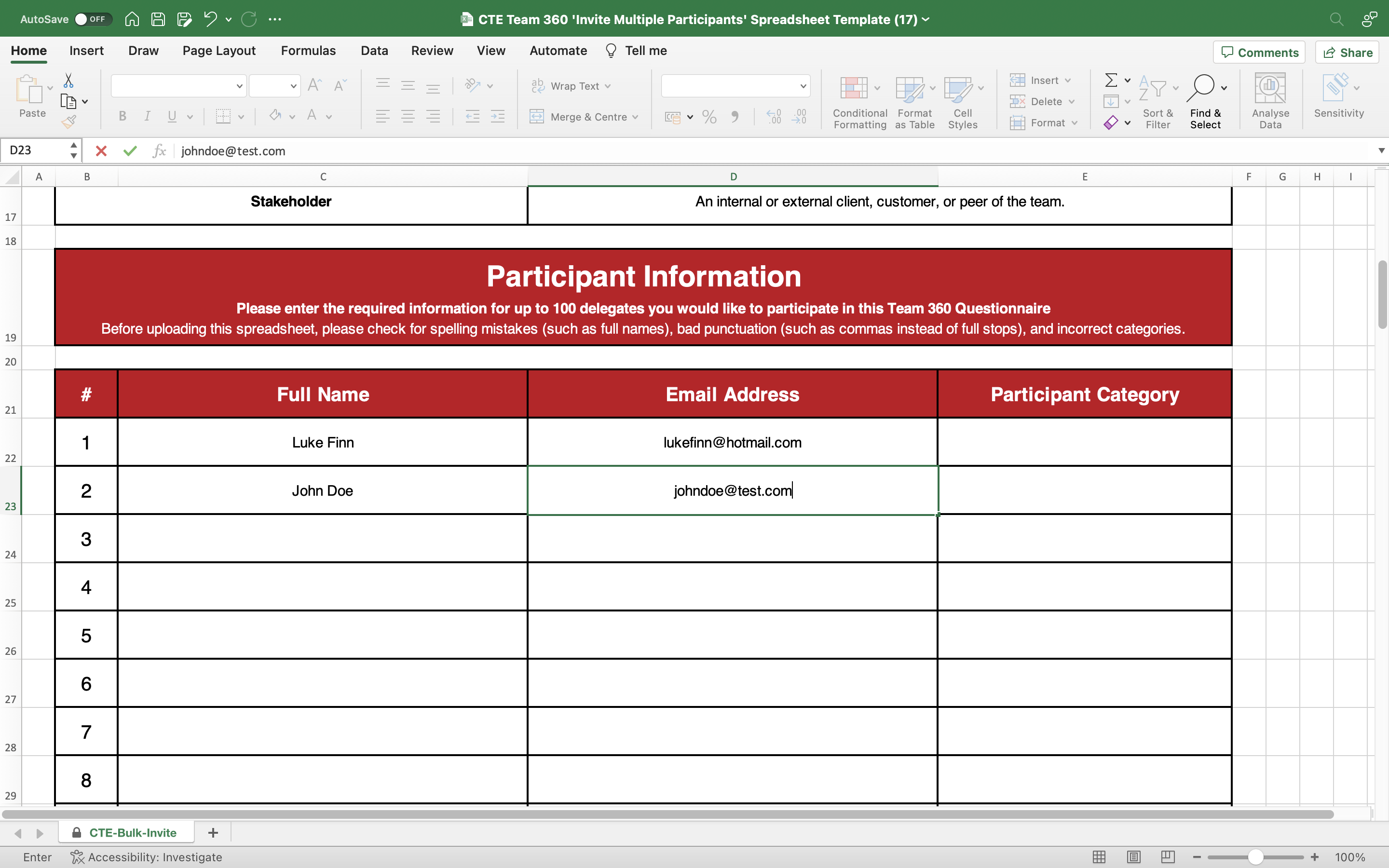
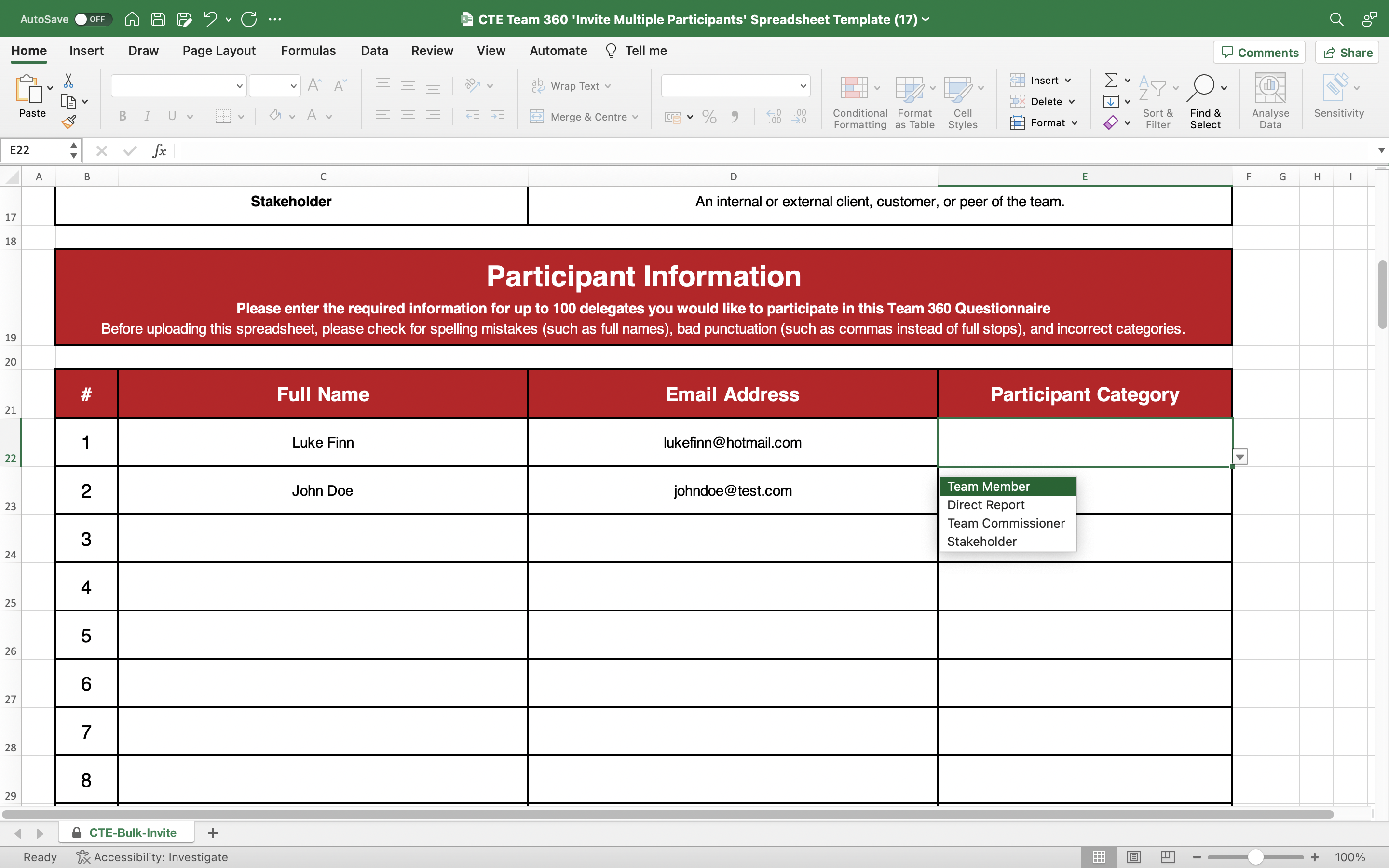
For each participant, select their participant category from one of the four options
Remember to save the spreadsheet regularly and send it to the team coach when it is completed and checked